
How to Use Compass Check: Vastu Without a Floor Plan, Step by Step

By Deesha · Reviewed by Editor, VastuScan
19 October 2026 · 4 min read
Compass Check grades a home without a floor plan. You stand at the centre, face north with your phone's compass, and tell the app which direction each room lies in. It takes a few minutes in the home itself. This guide walks through every screen, using a made-up sample flat.
When to use it
Use Compass Check when there is no plan to upload: a resale flat, an older house, a rented home, or a site visit where the builder hasn't shared the plan yet. If you do have a clear plan, a Quick Scan is more precise, because it reads each room's exact position instead of the zone you pick.
Step 1: Stand at the centre and face north
Start Compass Check from the home screen. The first screen tells you what to do before you tap anything:
- Go to the centre of the home. Picture the home as a rectangle and walk to where its two diagonals would cross. In most flats that is the living room or the main passage.
- Face north. Open your phone's own compass app and turn until it reads 0°. Hold the phone flat and away from metal.
- Come back to VastuScan and carry on from the same spot.
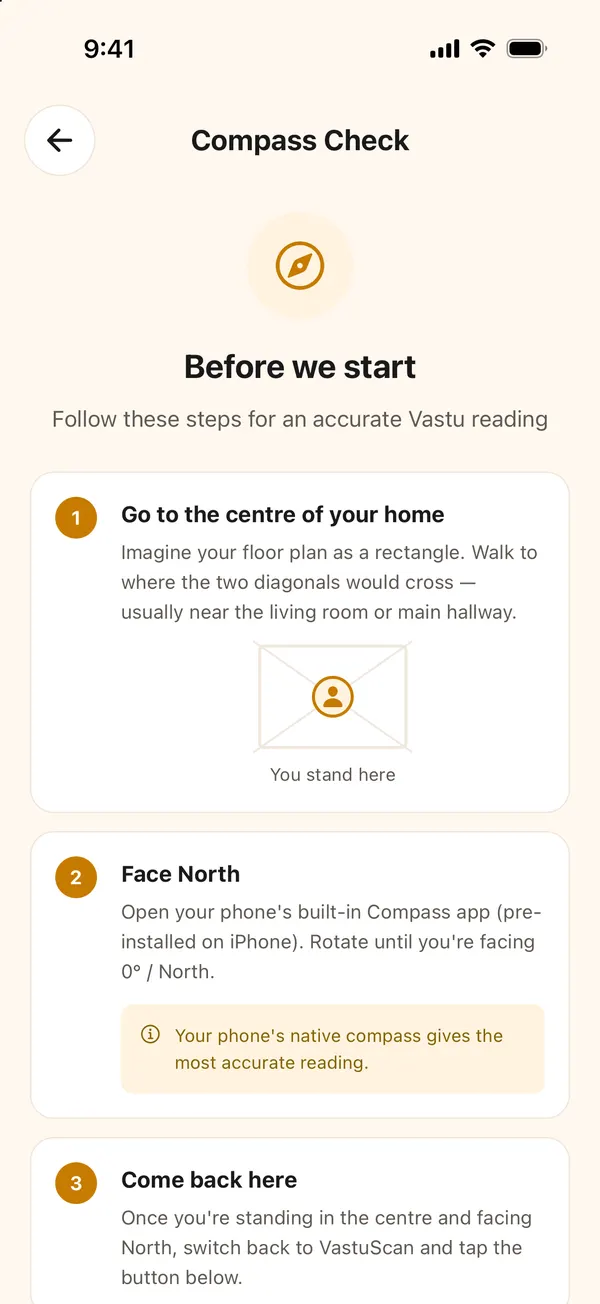
Name the check (for example "Sharma flat, 4th floor"), choose the number of floors, and tap I'm in the centre, facing North. Each floor uses one credit.
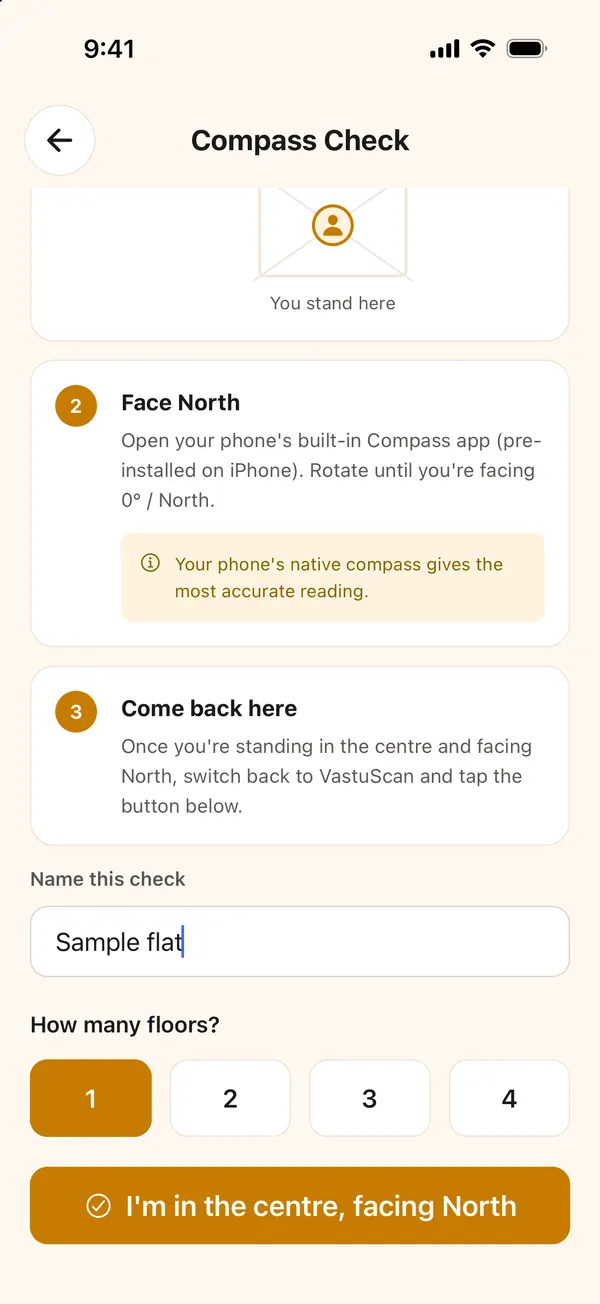
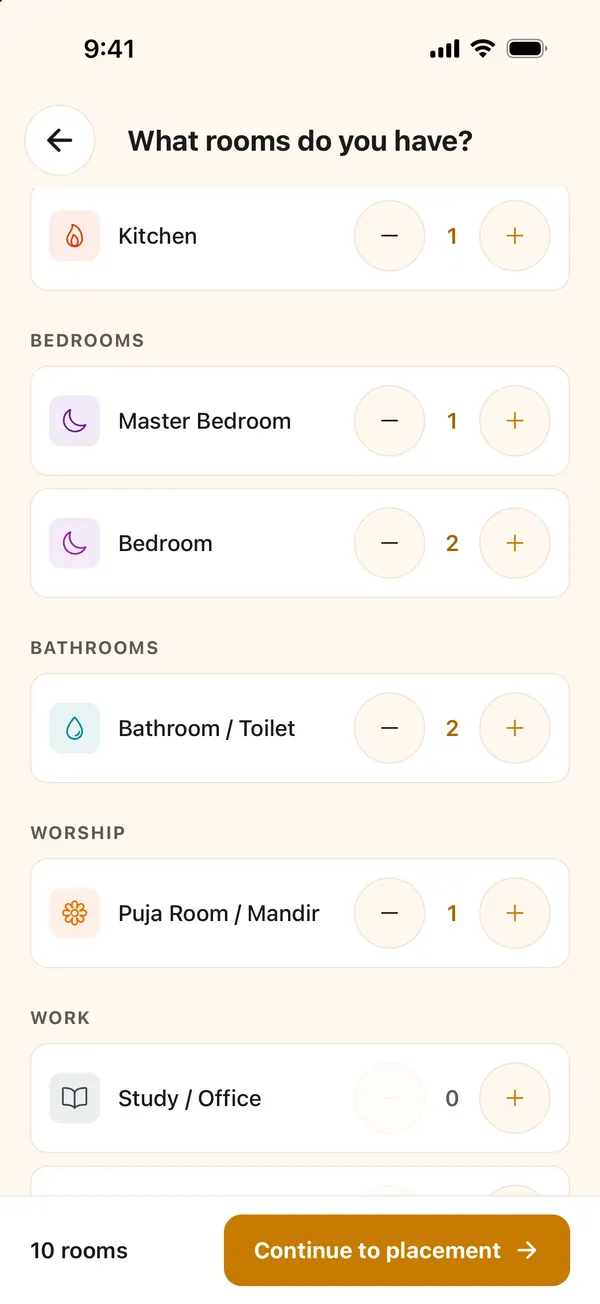
Step 2: List the rooms
Tap + for every room the home has: the main entrance is already there, then the living room, kitchen, each bedroom, each toilet, the puja room and so on. Two toilets means tapping + twice; each is graded on its own. Then tap Continue to placement.
The first time, the app shows a short guide to the grid. You can skip it once you have read this.
Step 3: Place each room on the grid
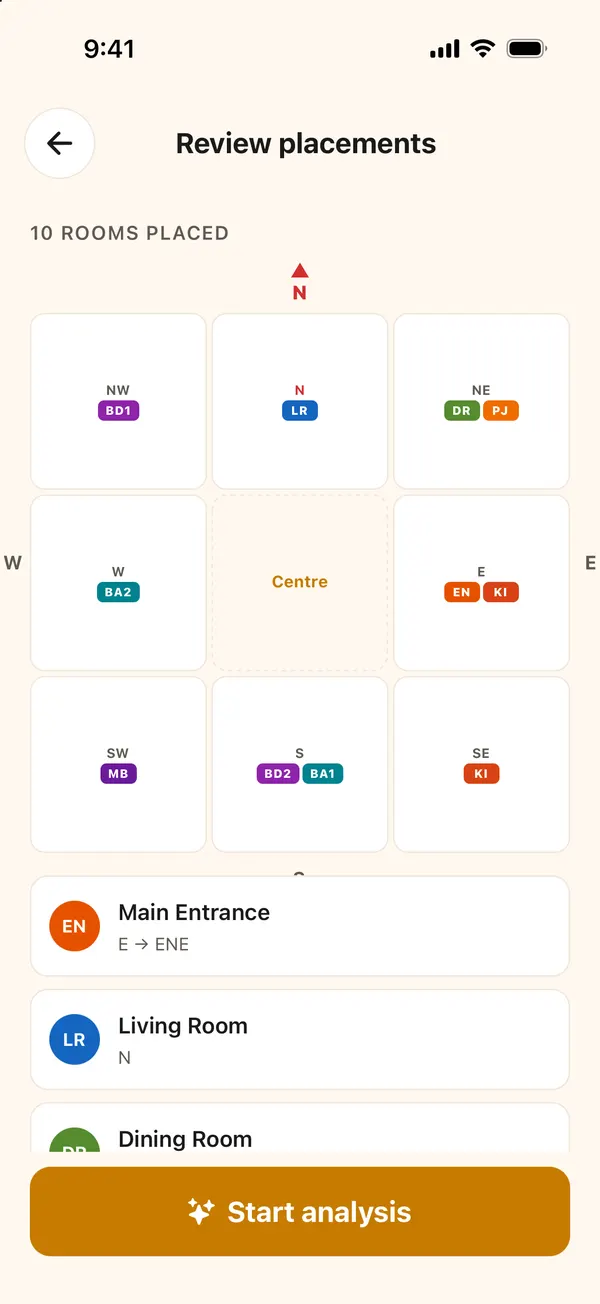
The app shows the home as a 3×3 grid, with north at the top and the centre in the middle. It asks for one room at a time. Still facing north, look towards the room and tap its zone, then Place here.
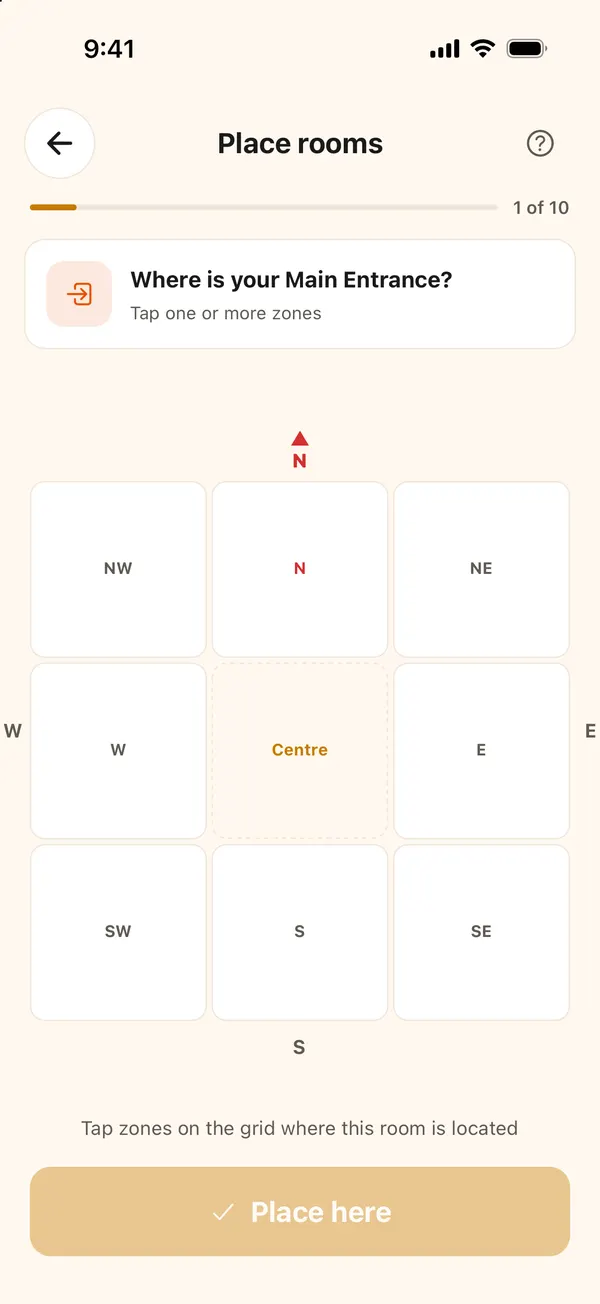
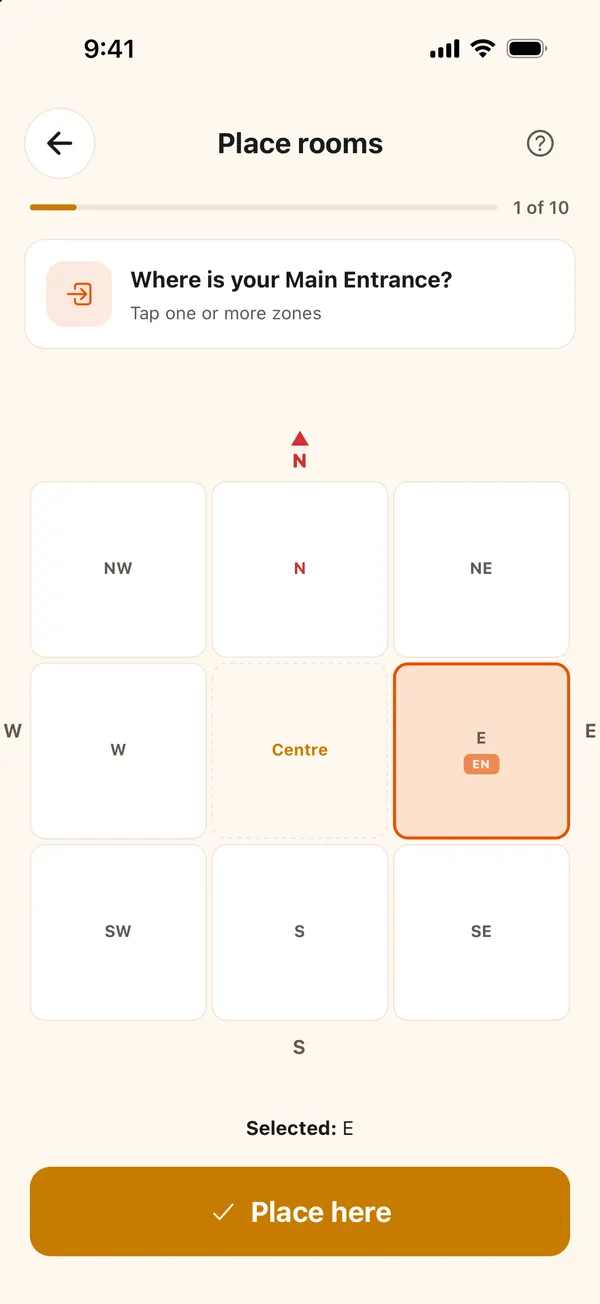
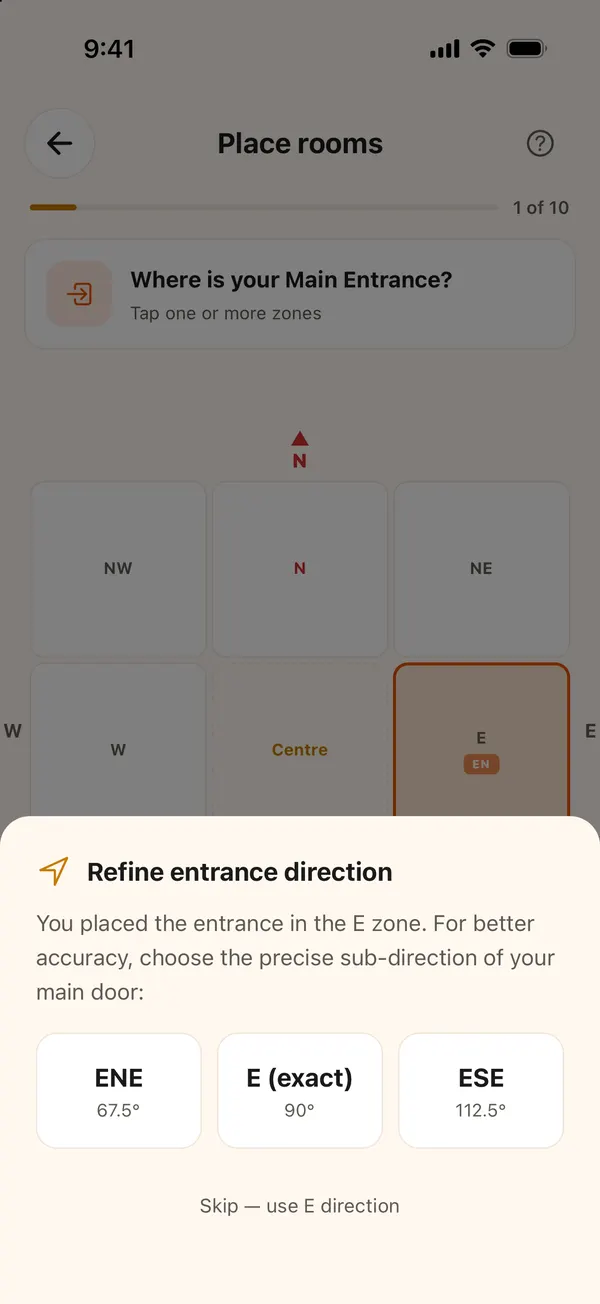
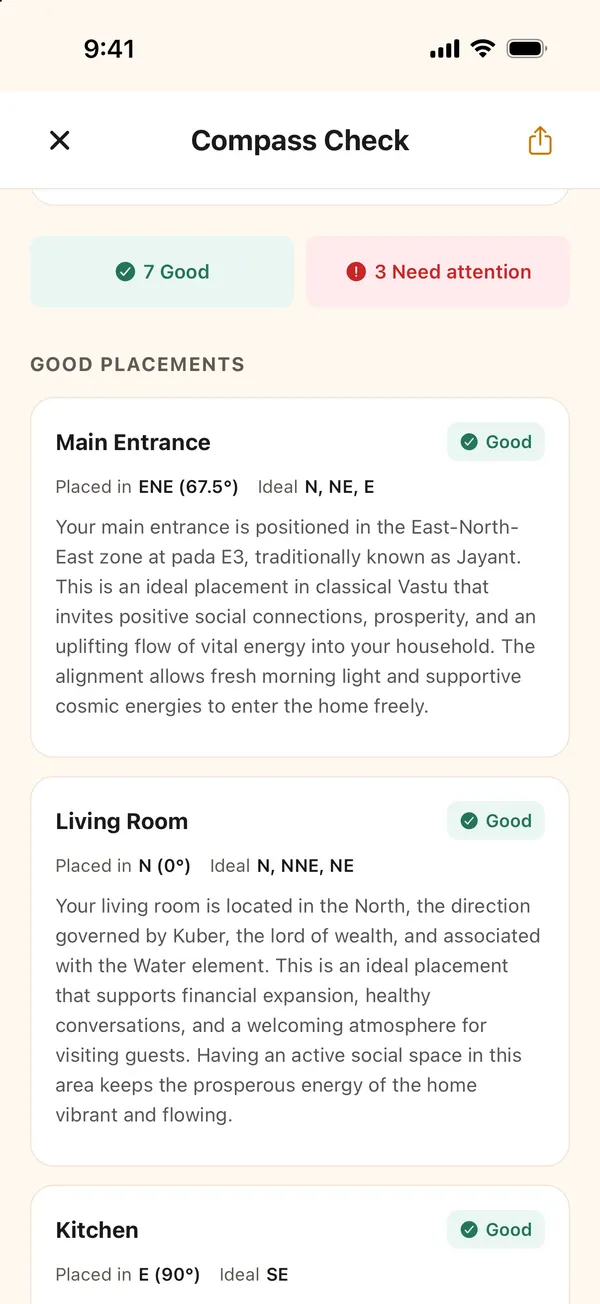
The main entrance gets one extra question. The door matters more than any other single room, so the app asks for a finer direction within the zone: for the east zone, ENE (67.5°), E (90°) or ESE (112.5°). Pick the closest one, or skip to use the zone's direction.
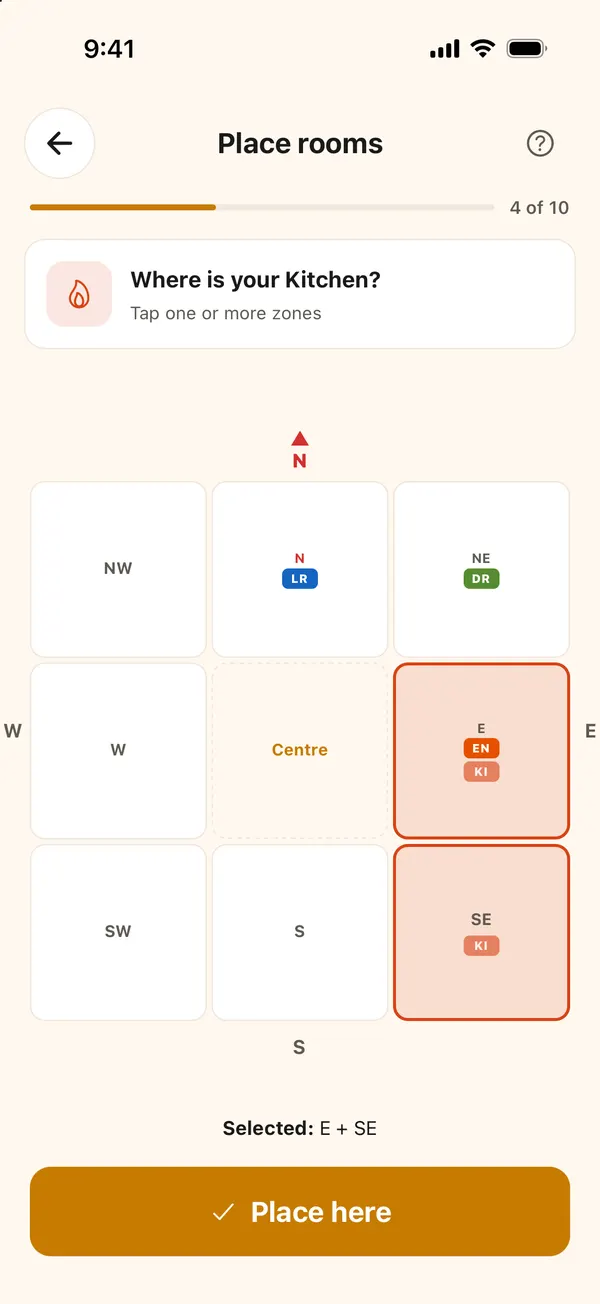
A room can sit in two zones. Tap every zone it covers. On the sample flat the kitchen runs across the east and the south-east, so both are tapped.
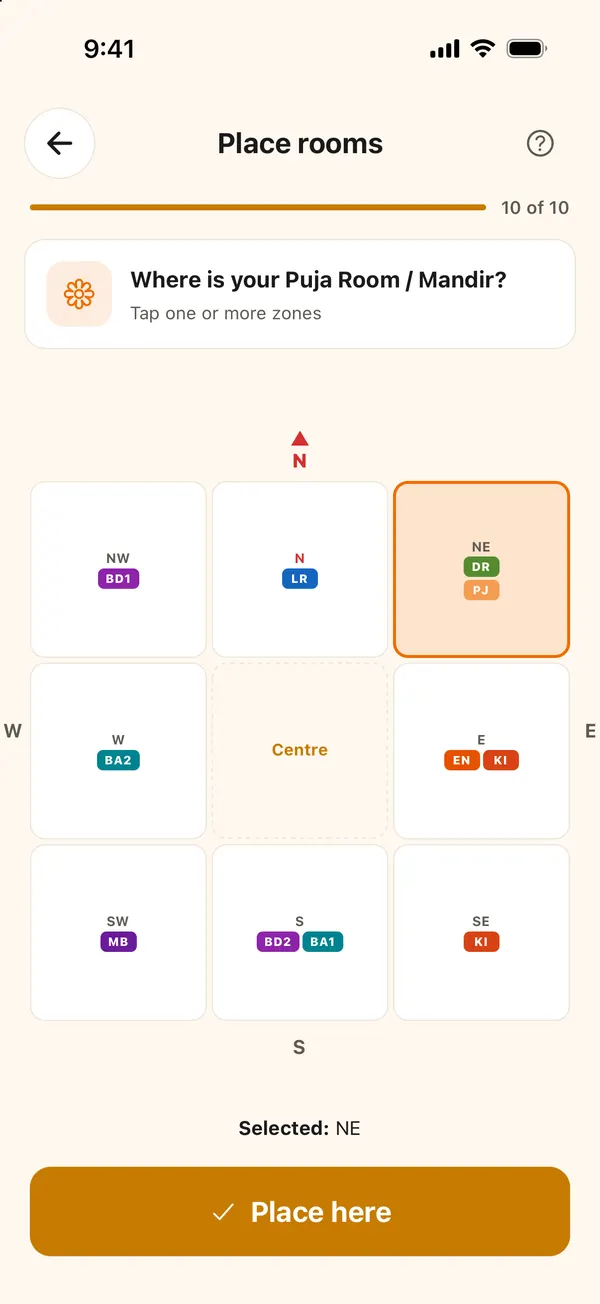
When the last room is placed, the grid shows every room as a short label (LR for living room, KI for kitchen, MB for master bedroom).
Step 4: Review and start the analysis
Review placements lists each room with its zone. Check it once more against the home, especially the entrance, the kitchen and the toilets, then tap Start analysis.
Step 5: Read the result
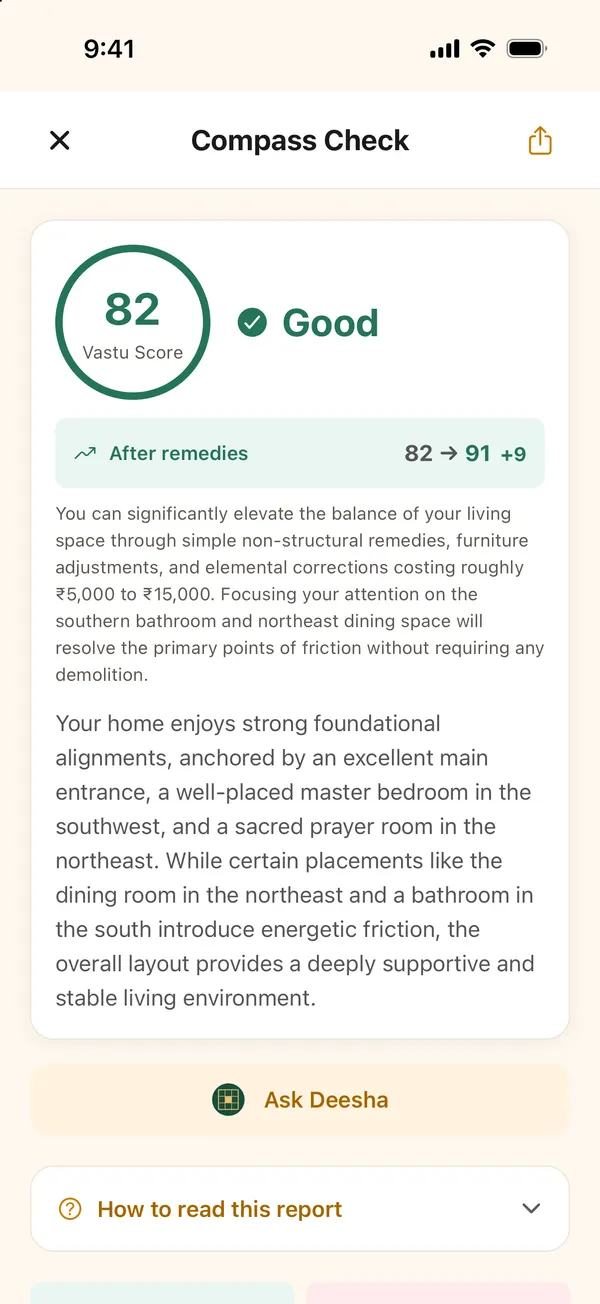
The report opens with the Vastu score, the verdict and the score after remedies. The sample flat scored 82, Good, and would reach 91 with its remedies.
Below the summary, each room has its own card: where you placed it, the directions that are ideal for it, and a short explanation.
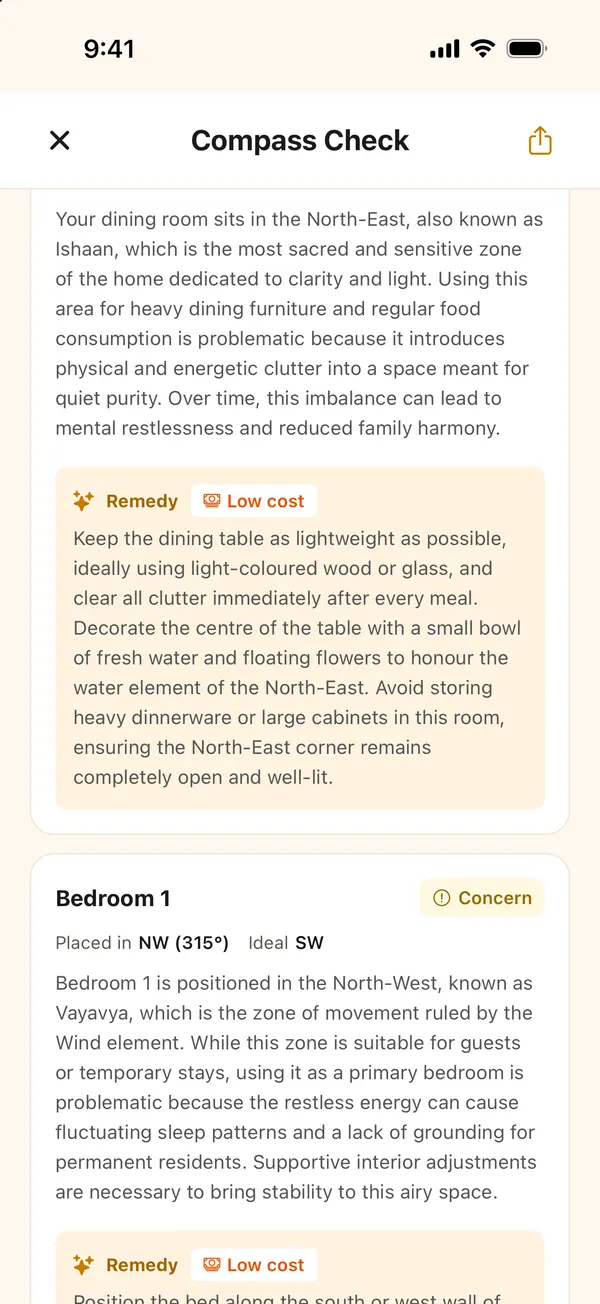
Rooms marked Concern come with a remedy, labelled no cost or low cost, so you know what you are signing up for before you start.
From the result you can Ask Deesha about this home, or save and share the report as a PDF.
Getting a reliable reading
- Find the real centre. In an L-shaped flat the centre is not where the diagonals of the outer box cross. If you get the plan later, a Quick Scan works the centre out from the plan for you.
- Trust the compass, not the brochure. The building's "facing" in an advert is often rounded or wrong.
- Place rooms from where you stand. Always judge a room's direction from the centre, not from the corridor or the main door.
How each room is graded is set out in VastuScan's Vastu rules.
Questions people ask
How accurate is a Compass Check compared with a Quick Scan?
It is coarser. You place each room in one of eight zones around the centre, plus a finer direction for the main door, so a room near a zone boundary can land on either side. If you can get a floor plan later, a Quick Scan reads every room's exact position from the centre.
Do I need to be inside the home?
Yes. You stand at the centre of the home with your phone's compass, face north, and then mark where each room is from there. It is made for a site visit or a home you live in.
What if my phone compass is wrong?
Hold the phone flat, away from steel almirahs, the fridge and other metal, and set the compass to true north if it offers that. Take a second reading a step away; if the two disagree, take a third.
Written with AI by Deesha, VastuScan’s AI Vastu guide, and checked against VastuScan’s published Vastu rules. Vastu Shastra is a traditional system; this is guidance, not architectural, structural or financial advice, and no outcome is promised.
Read next
Vastu apps & tools
How to Use Quick Scan: Check a Floor Plan in VastuScan, Step by Step
A step-by-step guide to VastuScan's Quick Scan, with real screenshots: name the home, upload the plan, crop it, set the centre and north, and read the report.
Vastu apps & tools
How VastuScan Checks a Home: Our Rules, Our Scoring, and What We Can't See
How VastuScan turns a floor plan into a Vastu score: who decides the directions, how rooms are graded and scored, how remedies are costed, and its limits.